
 RiverPort
Windows and Android · US$14.99 once · 7-day free trial
Know exactly what is plugged in, and how fast.
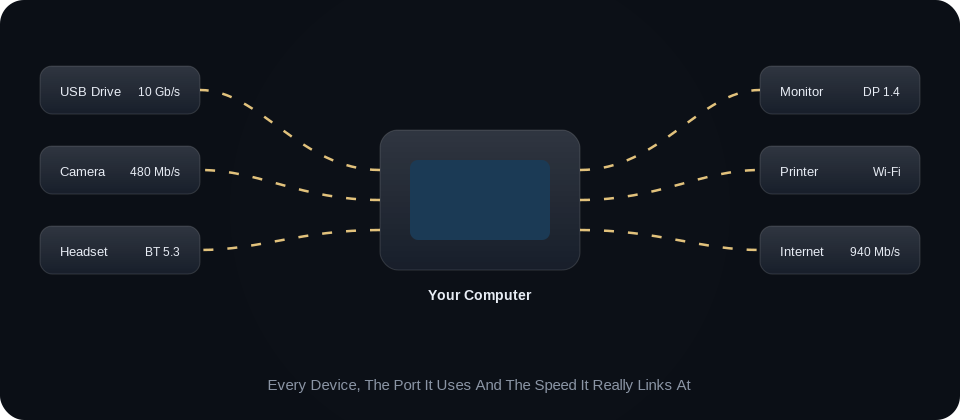
RiverPort lists every device connected to your computer or phone: USB drives, printers, cameras, headsets, monitors, keyboards, controllers and Bluetooth devices. For each one it shows the port, the link speed and live transfer rates, and it covers your network adapters and internet connection too.
What it does
Every device
USB, Bluetooth, displays and network adapters in one list, with the port each one uses and the speed it actually links at.
Instant alerts
A notice within two seconds when something is plugged in or removed, and a log of every event.
Private
The internet check only opens a connection to public DNS servers; nothing about you or your devices is sent anywhere.
Where it stands
RiverPort 0.2.0 runs on Windows and Android. It costs US$14.99 once, for up to three devices, with a 7-day free trial.
Download · Windows 0.2.0 · Android 0.2.0
Try it free for 7 days, then US$14.99 once.
Every new copy starts with a 7-day free trial. One key costs US$14.99, works on up to 3 devices in any mix of platforms and includes 2 years of free updates; the versions you have keep working for good. When the trial ends, the app's Licence page shows how to buy a key.
Windows 10 and 11
A small 64-bit installer for your Windows user, no administrator rights needed.
File: RiverPort_0.2.0_x64-setup.exe
SHA-256: 6D8D4F9F773C5C2C4BB975CF426A0F833415B8474A8636B09ECC0AC5F055B704
Android 8 and later
Open the file on your phone; Android asks once to allow installs from your browser. Google Play listing to follow.
File: RiverPort_0.2.0_android.apk
SHA-256: 65AAEEA7999B7113B7C3568FF312CCEFD50CE95B8C1C5F9BEC28EE8108386FA9
Check a download: In PowerShell, compare the result with the SHA-256 shown: Get-FileHash .\RiverPort_0.2.0_x64-setup.exe -Algorithm SHA256. If Windows SmartScreen says it protected your PC, choose More info and then Run anyway: the warning appears for new publishers, and the checksum confirms the file is ours.